
D-ID is a freemium AI avatar video platform from D-ID that turns a script, audio recording or still image into a video with a speaking digital presenter. Its Creative Reality Studio is designed for creators, marketers, learning teams, sales teams and businesses that need presenter-led content without filming every version. D-ID works in a web browser and through official iOS and Android apps.
What is D-ID?
D-ID Creative Reality Studio combines face animation, text-to-speech, uploaded audio and customizable avatars in a guided video editor. A user can select a stock avatar, upload a suitable portrait, or create a personal video avatar where the plan supports it. The presenter then delivers a typed script, a recorded message or uploaded audio in the selected voice and language.
The wider D-ID platform also includes Video Translate, AI Agents and developer APIs. Video Translate can translate a single-speaker video, clone the speaker's voice in the target language and adapt lip movements. D-ID Agents combine a visual avatar with interactive responses, while the API lets teams integrate avatar video and streaming workflows into their own products. These capabilities have separate limits and may consume the same plan allowance.
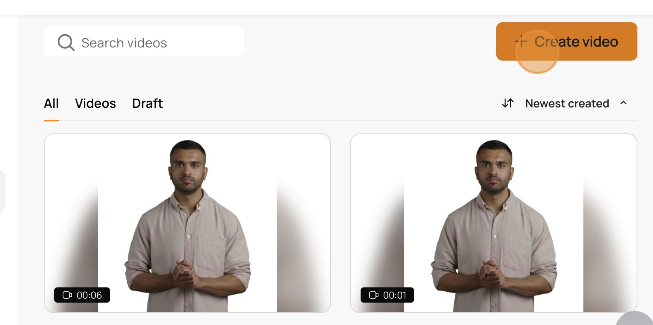
Start a new avatar video from the D-ID Studio video library.
Key features and best use cases
Talking AI avatars: choose from stock photo or video avatars, upload a front-facing portrait, or use an eligible personal avatar to create a presenter-led video.
Script, voice and audio controls: type a script, upload supported audio or record a voice, then select from available languages, accents and speaking styles. Voice cloning is available on Pro plans and above.
Templates and scenes: start with a template, add one or more scenes, and customize text, media, backgrounds, layout and avatar placement for explainers, onboarding and campaigns.
Video localization: Video Translate processes a suitable single-speaker recording, translates speech, clones the voice and adjusts lip movements for the selected output language.
Web, mobile and API workflows: create and manage projects in Studio, use the official mobile apps for on-the-go creation, or connect supported functionality through the D-ID API.
Typical use cases include training videos, employee onboarding, product explainers, personalized sales messages, marketing campaigns, social posts and multilingual internal communications. D-ID is most useful when a clear presenter is more important than cinematic scene generation.
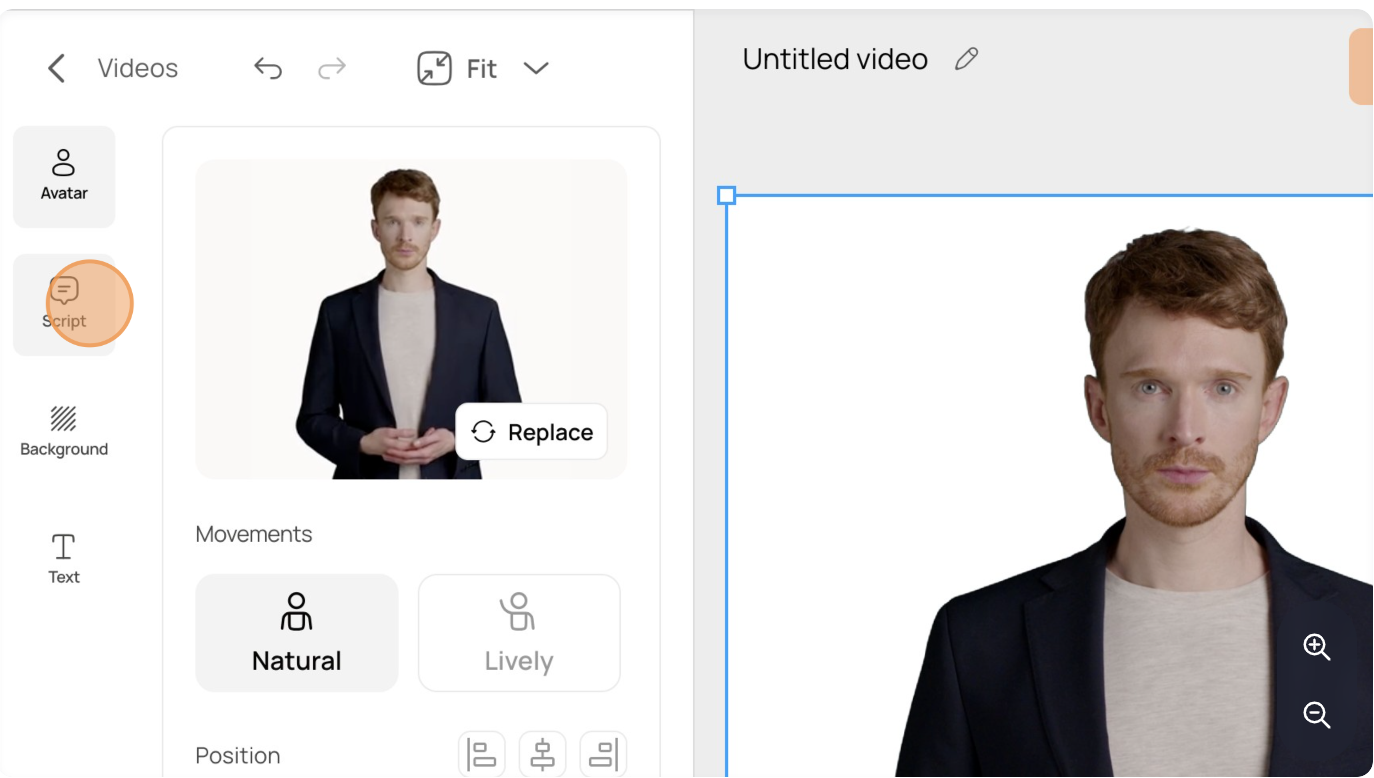
Choose an avatar, then add a typed script, recorded voice or uploaded audio.
How to create an AI avatar video with D-ID
Open Studio and create a video: sign in, select Create video, and choose a blank project or an available template. An account is required to generate and manage results.
Choose an avatar: select an avatar from the library or upload a portrait you are authorized to use. For a photo avatar, use a well-lit, front-facing face without sunglasses, hair or other obstructions; D-ID recommends a face area of at least 200×200 pixels and accepts images up to 10 MB.
Add the message: type the script, record in Studio or upload audio. The official help center lists MP3, FLAC, M4A, MP4 and WAV for audio uploads, with a 10 MB file limit and a five-minute limit for that upload workflow.
Select a voice and settings: choose the language and voice, preview it, then adjust the scene, background, ratio, text and other available controls. Review the estimated credit or minute use before generating.
Generate and review: start processing, check lip sync, pronunciation, facial movement, captions and brand elements, then download or share the completed video. Draft videos cannot be downloaded, and subtitles on eligible plans are exported as a separate SRT file.
Pricing and supported platforms
D-ID uses a freemium trial model. On November 18, 2026, the official Studio pricing page listed Trial at US$0 for 14 days, including up to three minutes across Videos, Agents, Video Translate and API, 100+ stock avatars, one personal avatar and a full-screen watermark. Trial is for personal use.
The entry paid Studio plan was Lite at an advertised US$4.70 per month when billed as US$56 annually. Lite included ten minutes per month, two video avatars, fast processing and a D-ID watermark, but remained licensed for personal use. Pro was listed at US$16 per month billed annually and added premium voices, one voice clone, subtitles, an AI watermark and a commercial-use license. Prices, allowances and introductory offers can change, so the live plan table is the final reference.
Minutes are rounded up to the next 15-second interval, renew monthly and do not carry over. Verified delivery platforms are Web, iOS and Android. D-ID also provides Canva and PowerPoint integrations, but these integrations are not native Windows or macOS desktop applications.
Important limitations
Trial and Lite output is limited to personal use. Commercial rights begin with Pro according to the current pricing and rights pages, assuming the user owns the uploaded image, audio and text.
Watermarks depend on plan: Trial uses a full-screen watermark, Lite shows the D-ID logo, Pro uses a generic AI watermark, and higher plans provide more branding control.
Generated lip sync, pronunciation and facial motion can contain errors. Review names, numbers, technical terms and all visual details before publishing.
Users must have permission to use a person's face, voice, script and uploaded media. Personal avatars and voice clones include consent steps, and content is subject to moderation.
Official pages currently describe different maximum durations for different workflows. The live Studio plan table lists video duration up to 30 minutes, while the creation guide limits uploaded audio to five minutes and Video Translate has its own limits. Confirm the active editor before planning a long video.
Official D-ID video tutorial
This official D-ID tutorial demonstrates how to create a video with V4 Expressive Avatars and adjust expression settings.
Frequently asked questions
Can D-ID be used for free?
Yes. The current Trial provides 14 days and up to three minutes, but generated videos carry a full-screen watermark and the license is for personal use.
What is the cheapest paid D-ID Studio plan?
Lite was listed at US$4.70 per month when billed annually at US$56 on November 18, 2026. The plan includes ten minutes per month and a D-ID watermark.
Can I use D-ID videos commercially?
Commercial use is included with Pro, Advanced and Enterprise. Trial and Lite are for personal use, and you still need rights to every image, voice, script and other source asset.
Does D-ID have mobile apps?
Yes. D-ID offers official apps for iOS and Android. The same Studio account can be used on mobile, although features and subscription options can differ by platform.
Can D-ID translate an existing video?
Yes. Video Translate can translate a suitable single-speaker video, clone the speaker's voice and adapt lip movements. Supported languages, length and proofreading options depend on the current plan and workflow.