

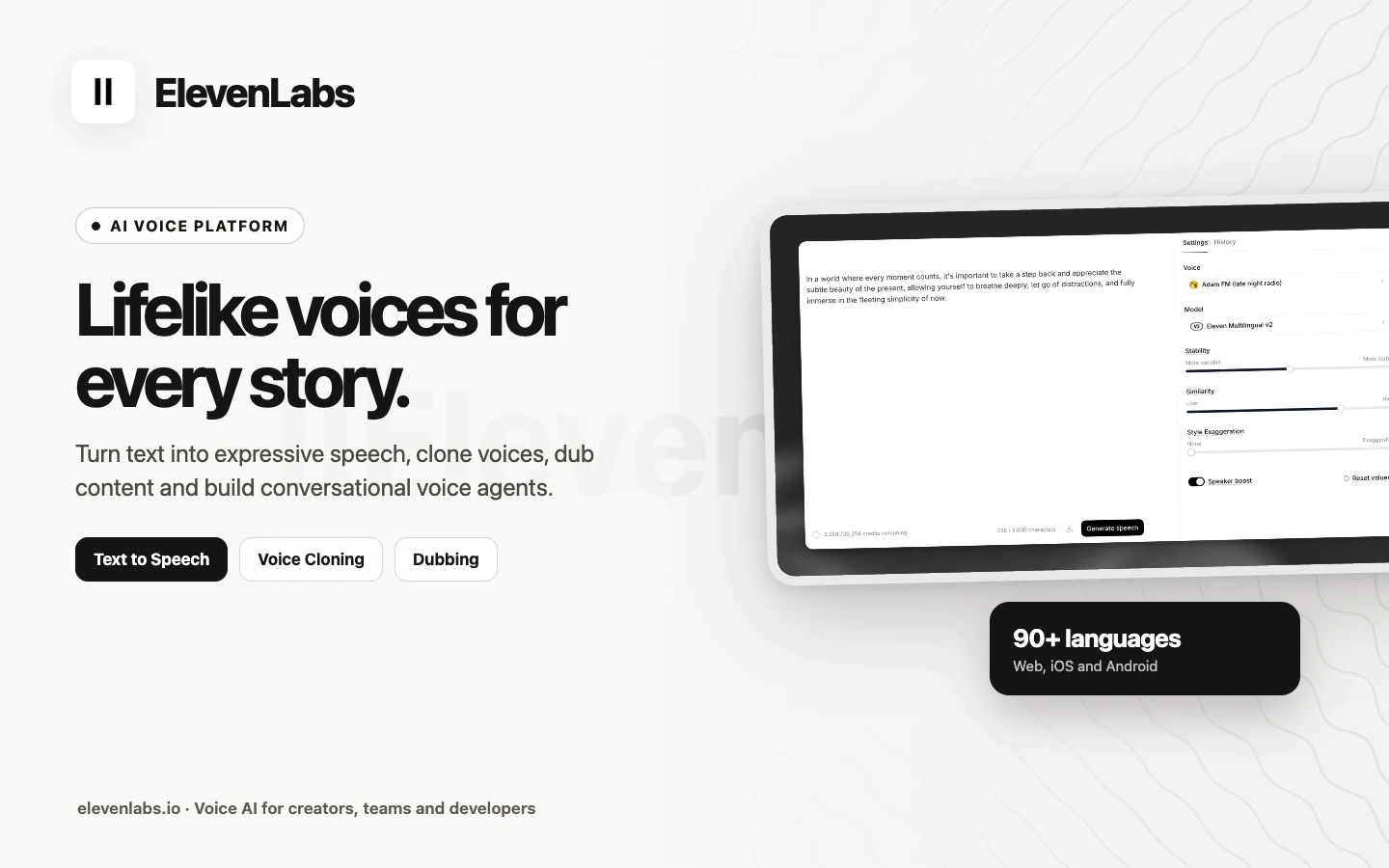
ElevenLabs is an AI research and product company that provides text-to-speech, speech-to-text, voice cloning, dubbing, music, sound effects and conversational voice-agent tools. Creators can work in the browser through ElevenCreative, businesses can build voice agents with ElevenAgents, and developers can integrate the same audio models through ElevenAPI. Official native apps are also available for iOS and Android.
What is ElevenLabs?
ElevenLabs began with generative voice technology and has developed into a broader AI audio platform. Its main workflow converts written scripts into expressive speech, but the service also supports custom voice creation, multilingual dubbing, transcription, audio cleanup, music and sound-effect generation, long-form studio projects and real-time voice agents. It is suitable for video narration, podcasts, audiobooks, e-learning, games, accessibility, localization, customer service and applications that need generated or transcribed speech.
The platform can be used without coding. Users select a tool, voice and model in the web interface, enter text or upload permitted source media, and generate an output. Developers can instead use the REST API and official SDKs. Model choice matters: Eleven v4 targets expressive speech and broad language support, while Flash and Turbo models prioritize lower latency and lower credit cost for real-time or high-volume work.
Key features and best use cases
- AI text to speech: turn scripts into narrated audio for videos, ads, podcasts, training courses, audiobooks and product experiences. Voice, model and generation settings affect delivery, consistency and latency.
- Voice library, design and cloning: browse community voices, design a synthetic voice from a description, or create an authorized clone. Instant Voice Cloning is available from Starter, while Professional Voice Cloning requires Creator or above and can only be created for the account holder's own verified voice.
- AI dubbing and localization: translate audio or video while retaining speaker identity, timing, emotion and background sound. Current Dubbing documentation lists support for more than 90 languages, although features and editable controls vary by dubbing workflow and plan.
- Speech to text and audio tools: transcribe recorded or live speech, isolate voices, change voices, generate sound effects and create music. Credits are shared across products, so each tool draws from the same account balance.
- Studio, API and voice agents: assemble longer projects in ElevenCreative, add speech to software through ElevenAPI, or create production voice agents with tools, workflows, testing and monitoring through ElevenAgents.
How to use ElevenLabs text to speech
1. Create an account and open Text to Speech
Sign up for a free ElevenLabs account, then open ElevenCreative and choose Text to Speech. The free tier is useful for testing, but commercial rights and several advanced voice features require a paid plan.
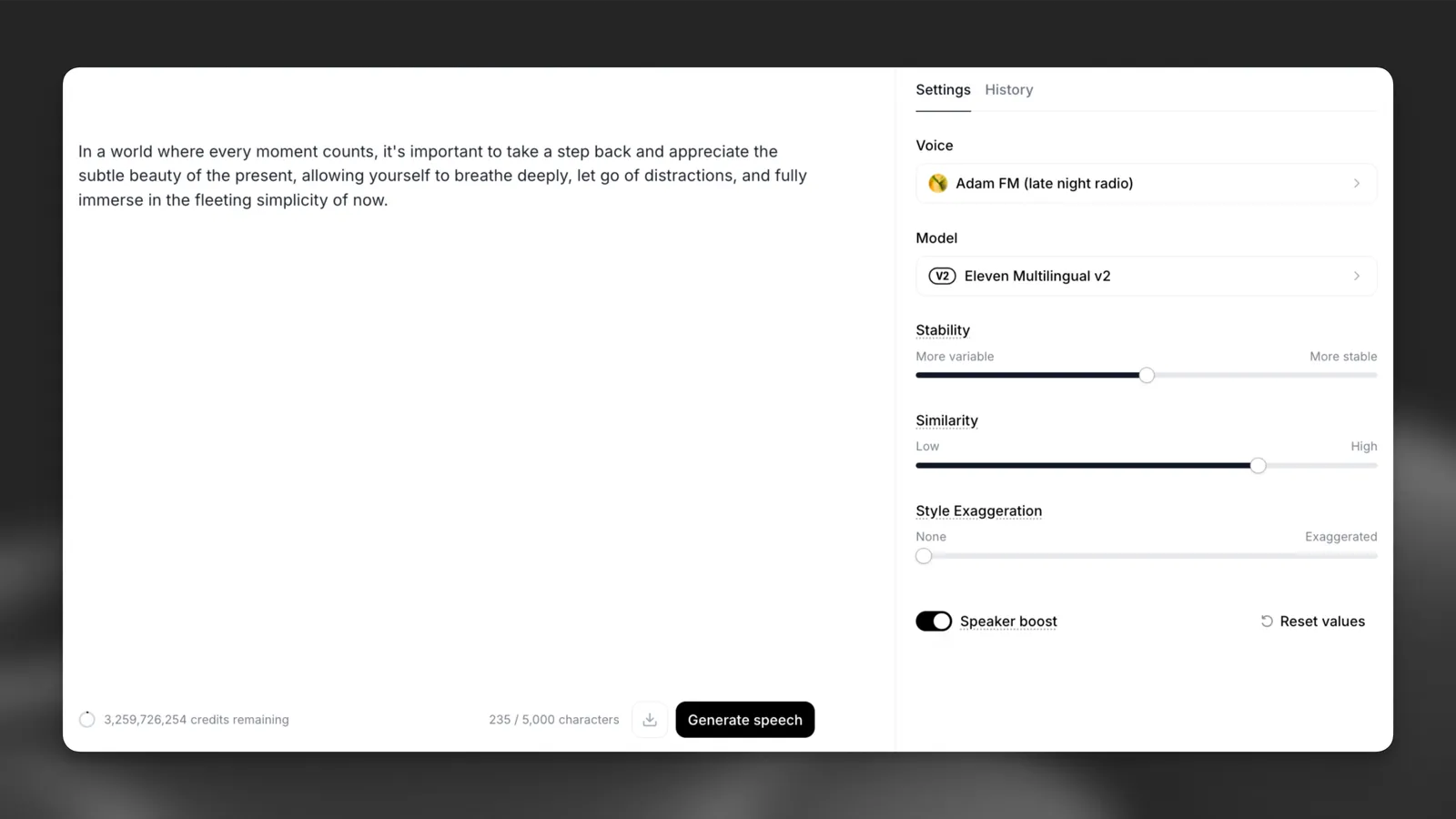
Official ElevenLabs Text to Speech workspace for entering a script, selecting a voice and model, and adjusting generation controls.
2. Choose a voice and model
Preview a voice that matches the language, accent and intended use. Then select a model based on the job: use a quality-focused model for expressive narration or a Flash or Turbo model when response time and credit efficiency are more important.
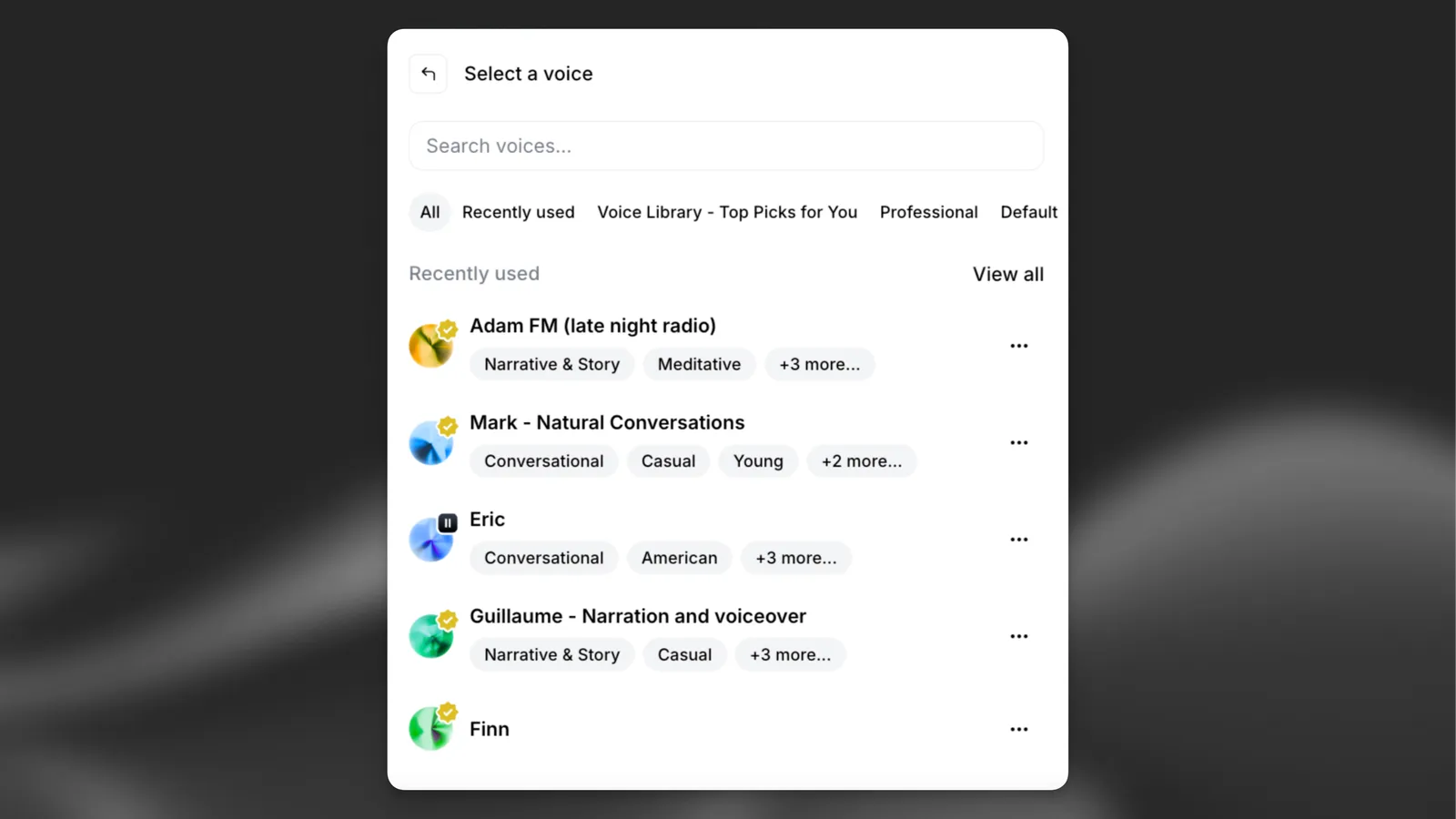
Use the official voice selector to compare voices by language, accent, style and intended use.
3. Enter and prepare the script
Paste the text, check punctuation and split very long scripts into manageable sections. Pronunciation, abbreviations, numbers and emotional cues should be reviewed before generation. Use only text and voices you are authorized to process.
4. Adjust settings and generate
Available controls vary by model and may include stability, similarity or model-specific prompting. Generate a short sample first, listen for names, pauses, emphasis and unwanted artifacts, and then process the complete script.
5. Review, regenerate and export
Compare the result with the source script and regenerate sections that need correction. The text-to-speech documentation permits up to two free regenerations when the text and settings remain exactly the same. Download or share the finished audio in an available format, or continue editing in Studio.
Pricing and supported platforms
ElevenLabs uses a freemium credit model. On 17 November 2026, the official pricing page listed Free at $0 with 10,000 monthly credits and Starter at $6 per month with 30,000 credits. Annual billing for Starter was shown as the equivalent of $5 per month because the annual price charges for ten months. Creator was $22 per month, with higher Pro, Scale, Business and custom Enterprise options. Credits are shared across products, and different tools consume them at different rates.
The free plan is for personal, non-commercial use. Paid subscriptions add commercial usage rights and plan-dependent access to voice cloning, higher audio quality, more concurrent requests and larger quotas. Paid-plan credits can roll over for up to two months, subject to the current rollover rules; Free-plan credits do not roll over. Verified delivery platforms are Web, iOS and Android. Individual app features may differ from the full browser and API experience.
Official ElevenLabs text-to-speech tutorial
This official 111-second video demonstrates how to choose a voice, enter text, adjust settings and generate lifelike speech in ElevenLabs.
Watch the official ElevenLabs text-to-speech tutorial on YouTube
Important limitations and responsible use
- Generated speech is not deterministic. Names, uncommon pronunciations, accents, pacing and emotional delivery should be reviewed before publication.
- Free usage is limited to personal, non-commercial projects, and free Dubbing v2 output is watermarked. Commercial work requires an eligible paid plan and rights to the source material.
- Instant cloning may not reproduce uncommon accents or highly distinctive voices as accurately as Professional Voice Cloning. Professional clones require more clean training audio and time for model preparation.
- Only clone or synthesize a real person's voice with the required authorization. ElevenLabs restricts deceptive impersonation, harmful use and unauthorized voice cloning; Professional Voice Cloning is limited to the user's own verified voice.
- Capabilities, supported languages, quotas and credit costs depend on the selected model, tool and subscription. Check current documentation before a large production run.
Frequently asked questions
Can ElevenLabs be used for free?
Yes. The Free plan currently includes 10,000 monthly credits, but it is intended for personal, non-commercial use and has feature and output restrictions.
What is the lowest paid ElevenLabs plan?
At the time checked, Starter cost $6 per month or the equivalent of $5 per month with annual billing. It included 30,000 monthly credits and access to Instant Voice Cloning.
How many languages does ElevenLabs support?
Coverage depends on the model. Current Eleven v4 materials list more than 90 languages, while Multilingual v2 and Flash v2.5 support smaller language sets. Select a voice and model that match the intended language and accent.
Can I clone another person's voice?
You must have authorization for any voice you process. ElevenLabs states that Professional Voice Cloning can only be created for your own verified voice; another person must create and verify their own professional clone before sharing it.
Does ElevenLabs provide an API?
Yes. ElevenAPI exposes text to speech, speech to text, voice tools, dubbing, sound effects and other capabilities through REST interfaces and official SDKs.