

Gamma is an AI visual communication platform from Gamma Tech, Inc. that turns ideas, notes, or files into editable presentations, documents, social carousels, graphics, and web content. It runs in a browser and offers early-access mobile apps for teams, educators, marketers, and creators.
What is Gamma?
Gamma combines an AI agent with a block-based visual editor. The agent asks about the goal and audience, proposes a plan, then writes, designs, and adds visuals. Users can edit the result directly, change themes, ask the agent for revisions, invite collaborators, share a link, present it, or export it.
The platform supports presentations, documents, social carousels, graphics, and hosted sites. Gamma 5 creates presentations, documents, and carousels through conversation; website creation and publishing use the Sites area or editor controls.
Key features and best use cases
AI presentation and document generation: Start with a short prompt, pasted notes, an outline, or source files and let Gamma plan and build the first version.
Editable visual output: Revise text, layouts, themes, images, charts, tables, and individual blocks manually or with the AI agent.
Import and beautify: Bring in common presentation, document, spreadsheet, and web sources, then keep working in an editable gamma.
Social and graphic formats: Create square, portrait, and story-sized social posts, carousels, posters, infographics, invitations, and standalone images.
Sharing and collaboration: Invite editors, collect comments, share a responsive link, present from Gamma, and review viewer analytics where the plan supports them.
Export and publishing: Export to PDF, PNG, PowerPoint, or Google Slides. Any plan can publish to a Gamma subdomain; Pro and higher plans can connect custom domains.
Common uses include pitch decks, lessons, proposals, reports, social carousels, portfolios, event pages, and lightweight business sites.
How to use Gamma
Choose the output. From the dashboard, select Presentation, Document, Carousel, Image, Beautify, or Import. Use the Sites area when the primary goal is a website.
Add source material. Describe the result, paste existing text, attach a supported file, or provide a public webpage or document link.
Review the plan. Answer the agent's questions about audience, purpose, tone, and format. Check the proposed structure before allowing generation.
Generate and refine. Edit blocks directly or ask Agent for focused changes such as shortening a section, improving a slide, translating content, or changing the visual direction.
Verify the result. Check facts, numbers, citations, images, accessibility, and brand details.
Share, export, or publish. Send a link, present in Gamma, export a file, or publish a site.
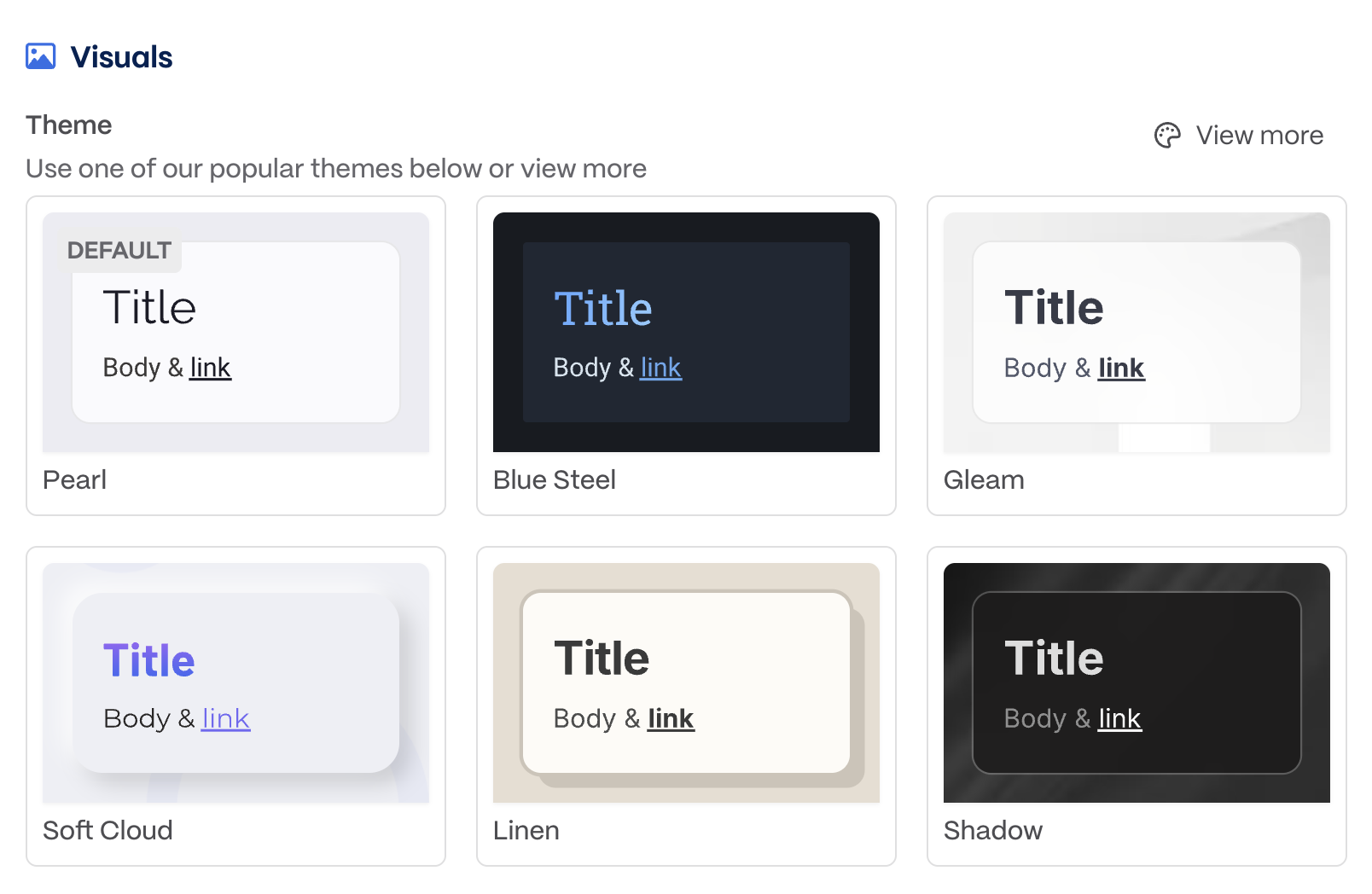
Choose a Gamma theme before generation to set the typography, colors, and overall visual direction.
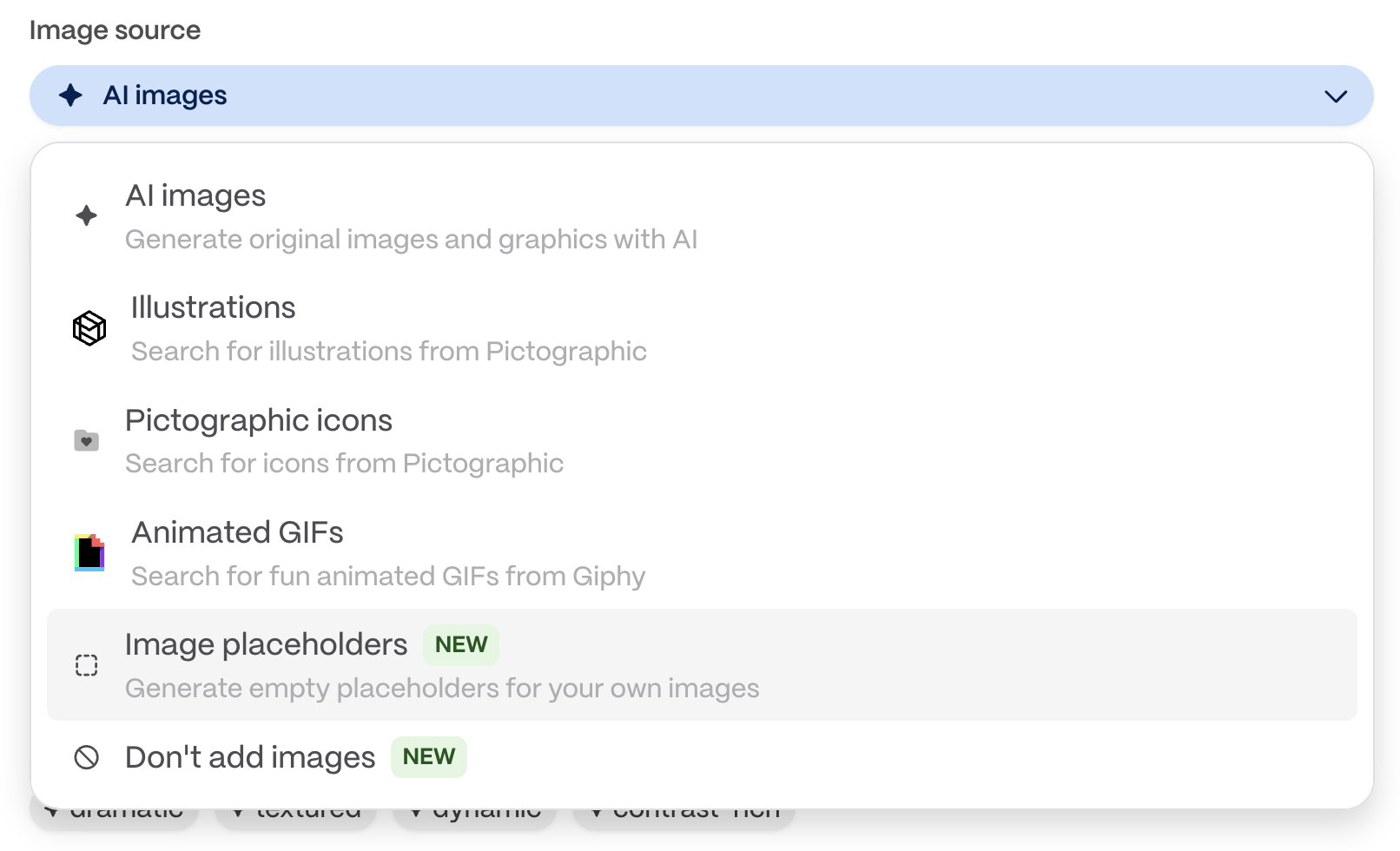
Select an image source such as AI images, illustrations, icons, GIFs, placeholders, or no images, then refine the result in the editor.
Official Gamma tutorial: create content with AI
This official Gamma tutorial demonstrates generating and refining a presentation from an idea. The interface may continue to change as Gamma is updated. YouTube
Pricing and platforms
Pricing was checked on November 20, 2026. Gamma uses a freemium model. The Free plan provides 400 starter AI credits that do not automatically refill, supports up to 10 slides in one AI prompt, and includes basic creation and export features. Successful AI generations and Agent edits consume credits; manual edits do not. Free PDF and PowerPoint exports include a “Made with Gamma” badge.
The lowest displayed paid option is Plus at $9 per seat per month when billed annually, charged as $108 per seat for the year. A higher month-to-month option is also available. Plus removes Gamma branding, raises the limit to 100 slides per prompt, and provides monthly credits and advanced image models. Confirm the live pricing page before purchasing.
Gamma works on Web and Mobile Web. Native iOS and Android apps are in early access and available only in the United States and Canada. There is no native macOS or Windows desktop app.
Important limitations
Free accounts begin with 400 credits, and those credits do not refresh. Additional free credits can be earned through eligible referrals, subject to the current cap.
A completed AI action consumes credits even when the result is not ideal. Undoing or deleting the generated content does not return those credits.
Free exports retain Gamma branding. Exported PowerPoint or Google Slides files can look different when a destination app substitutes fonts or converts dynamic elements into static images.
The early-access mobile apps require an internet connection and do not yet support full manual editing, folder or theme management, per-line comments, offline mode, or an iPad-optimized layout.
Gamma sites do not currently provide full ecommerce or blogging features. Custom domains require Pro or a higher plan.
Individual workspaces can opt out of AI-training use in Data Controls; Business and Enterprise content is excluded automatically.
Gamma FAQ
Can I use Gamma for free?
Yes. Free users receive 400 non-refilling starter credits and can create, edit, share, and export, but exports include Gamma branding.
Can Gamma import and export PowerPoint files?
Yes. Gamma can import PPTX and POTX files and export to PowerPoint. It also supports PDF and PNG export, plus Google Slides export from the web version.
Can Gamma create a website?
Yes. A gamma can be published to a free gamma.site subdomain, and new sites can be created from the Sites area. Connecting a custom domain requires Pro or higher. Gamma sites are suitable for lightweight pages, not full ecommerce or blogging systems.
Does Gamma have mobile apps?
Yes. Gamma has early-access iOS and Android apps in the United States and Canada, while mobile-web access is available more broadly. The apps support generation and Agent-based editing but still have feature gaps compared with desktop web.