

Bolt (Bolt.new) lets you create websites, web applications, prototypes, and mobile app projects by describing what you need in plain language. It generates a working interface and application code directly in the browser, then lets you refine the result through conversation, visual editing, or code changes. Bolt is suitable for beginners who want a no-code workflow as well as developers who want access to the generated code.
What is Bolt?
Bolt is an AI-powered website and application builder created by StackBlitz. Instead of setting up a development environment, users can enter an idea at Bolt.new and receive a working project with a live preview. Bolt can create JavaScript-based full-stack applications and supports workflows for websites, apps, prototypes, and presentations.
Users can start from a prompt, a Figma design, a GitHub repository, or a team template. Bolt also combines application building with cloud services for hosting, databases, authentication, file storage, server functions, analytics, and domain management.
Key features and use cases
Prompt-to-app building: Describe the users, pages, design, data, and workflows you need, and Bolt generates a working project.
Live preview and iterative editing: Review the application in the browser and request changes through chat, visual controls, or the built-in code view.
Full-stack support: Build interfaces together with databases, authentication, server functions, storage, and application logic.
Import and integration options: Bolt supports workflows involving Figma, GitHub, Expo, Stripe, and Supabase.
Publishing and hosting: Projects can be published to a live web address using Bolt hosting. Eligible plans can connect custom domains.
Multiple AI models and agents: Bolt can route work to an appropriate model. Its Standard agent is available to all users, while the Max agent is limited to Pro users.
Common use cases include landing pages, marketing websites, SaaS prototypes, dashboards, booking systems, e-commerce experiences, CRM tools, internal business tools, and early versions of mobile applications. It is especially useful when a team needs to turn an idea into a testable product quickly.
How to use Bolt
Open Bolt.new and choose a starting point. Start with a website, app, prototype, or slides project, or import an existing Figma design or GitHub repository.
Write a specific first prompt. Explain the target user, required pages, main actions, data, visual style, and any integrations. For a larger project, use planning features before requesting the complete build.
Review the live preview. Test navigation, forms, responsive layouts, and the most important user flows.
Refine the project. Ask Bolt to change one clearly defined area at a time. Users with development experience can also inspect and edit the generated code.
Add services when required. Configure a database, user authentication, payments, storage, secrets, or external integrations according to the project.
Test before publishing. Check the application on different screen sizes, verify stored data and permissions, and review important security, accessibility, and performance behavior.
Publish the project. Deploy it with Bolt hosting and connect a custom domain when supported by the selected plan.
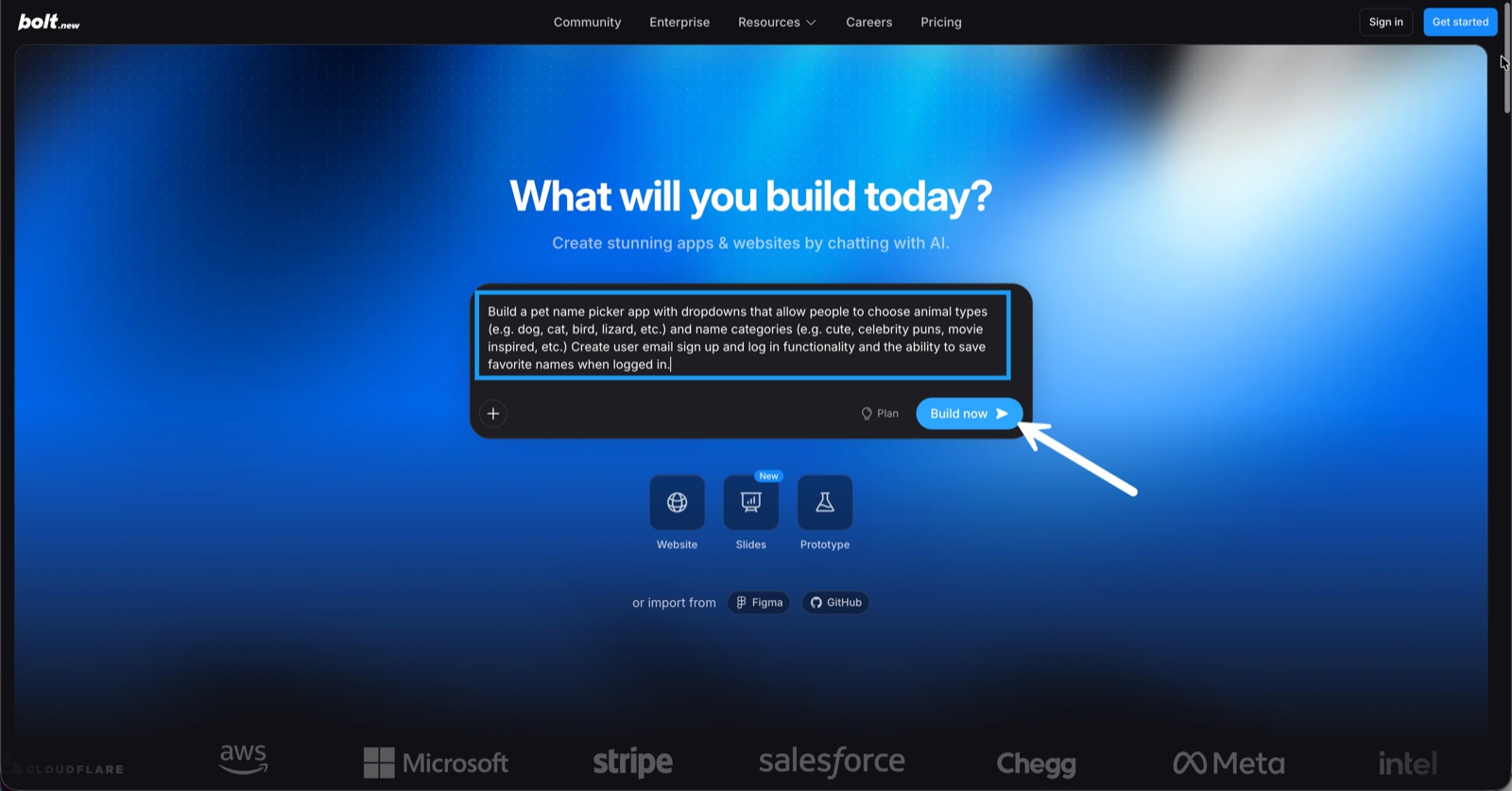
Start with a precise prompt that describes the audience, pages, data, and main user flow.
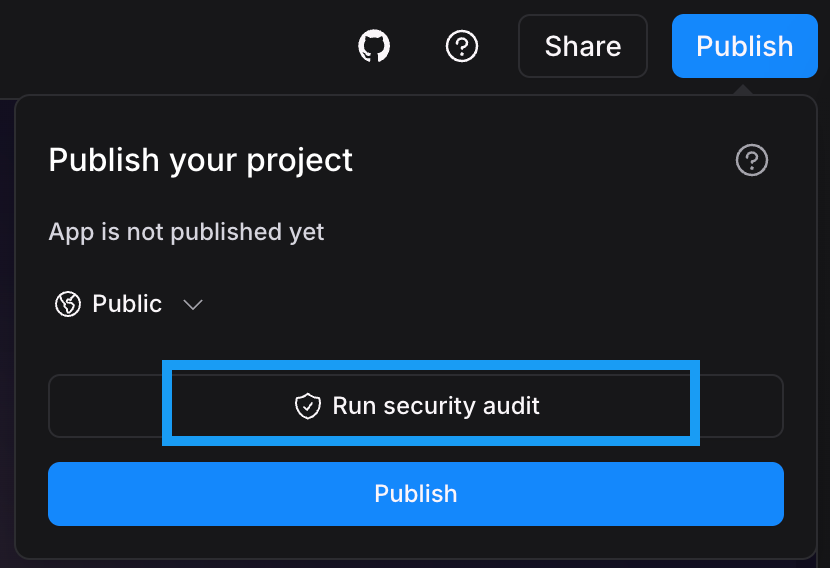
Before publishing, run the available checks and review the project's permissions, data, and security.
Official Bolt video tutorial
Bolt's official 10-minute tutorial demonstrates the full workflow from the first prompt and database setup to version history, design refinements, connectors, and publishing.
Watch the official Bolt tutorial on YouTube
Pricing and platforms
Pricing checked on November 19, 2026. Bolt uses a freemium model. The Free plan costs $0 and does not require a credit card. It includes public and private projects, up to three collaborators, 300,000 tokens per day, 1 million tokens per month, a 10 MB upload limit, Bolt-branded websites, hosting, up to 333,000 web requests, and unlimited databases.
The lowest paid plan is Pro at $25 per month when billed monthly. It starts with 10 million monthly tokens, removes the daily token limit and Bolt branding, supports unlimited collaborators, private site sharing, a 100 MB upload limit, custom domains, additional hosting capacity, up to 1 million web requests, expanded database options, SEO boosting, and AI image editing. Paid unused tokens can roll over for up to two months while the subscription remains active. Teams starts at $30 per member per month, and Enterprise pricing is customized.
Bolt itself is a web-based platform that runs in a desktop or mobile browser. It can help create mobile app projects through Expo, but external mobile build, testing, and app-store processes may still be required.
Important limitations
Token usage includes reading prompts and project files, planning changes, and generating code. Large projects can consume allowances quickly.
Free tokens do not roll over, and the Free plan retains Bolt branding and a smaller upload limit.
Bolt is primarily designed for JavaScript-based web technologies. A project that requires an unsupported framework or runtime may need another development workflow.
Generated applications should be tested and reviewed before production use. Check authentication, data access, payments, accessibility, browser compatibility, security, and performance rather than assuming every generated change is production-ready.
Building a mobile project with Expo is not the same as automatically publishing it to the Apple App Store or Google Play.
Bolt FAQ
Can I use Bolt for free?
Yes. Bolt offers a Free plan with no credit card required, subject to its daily and monthly token allowances and other plan limits.
Do I need coding experience?
No. A beginner can build and edit a project through natural-language prompts. Developers can also open the code view and work directly with the generated project.
Can Bolt build full-stack applications?
Yes. Bolt supports JavaScript-based full-stack projects and can combine the interface with databases, authentication, server functions, storage, and application logic.
Can Bolt create and publish mobile apps?
Bolt supports mobile app development workflows through Expo. However, device testing, signing, store accounts, compliance checks, and app-store submission may still need to be completed outside the basic Bolt web workflow.